Reducing complexity in clinical workflows
UX research • Industrial HMI • Healthcare • Medical Device UI/UX • HMI • Clinical Workflows
The Challenge
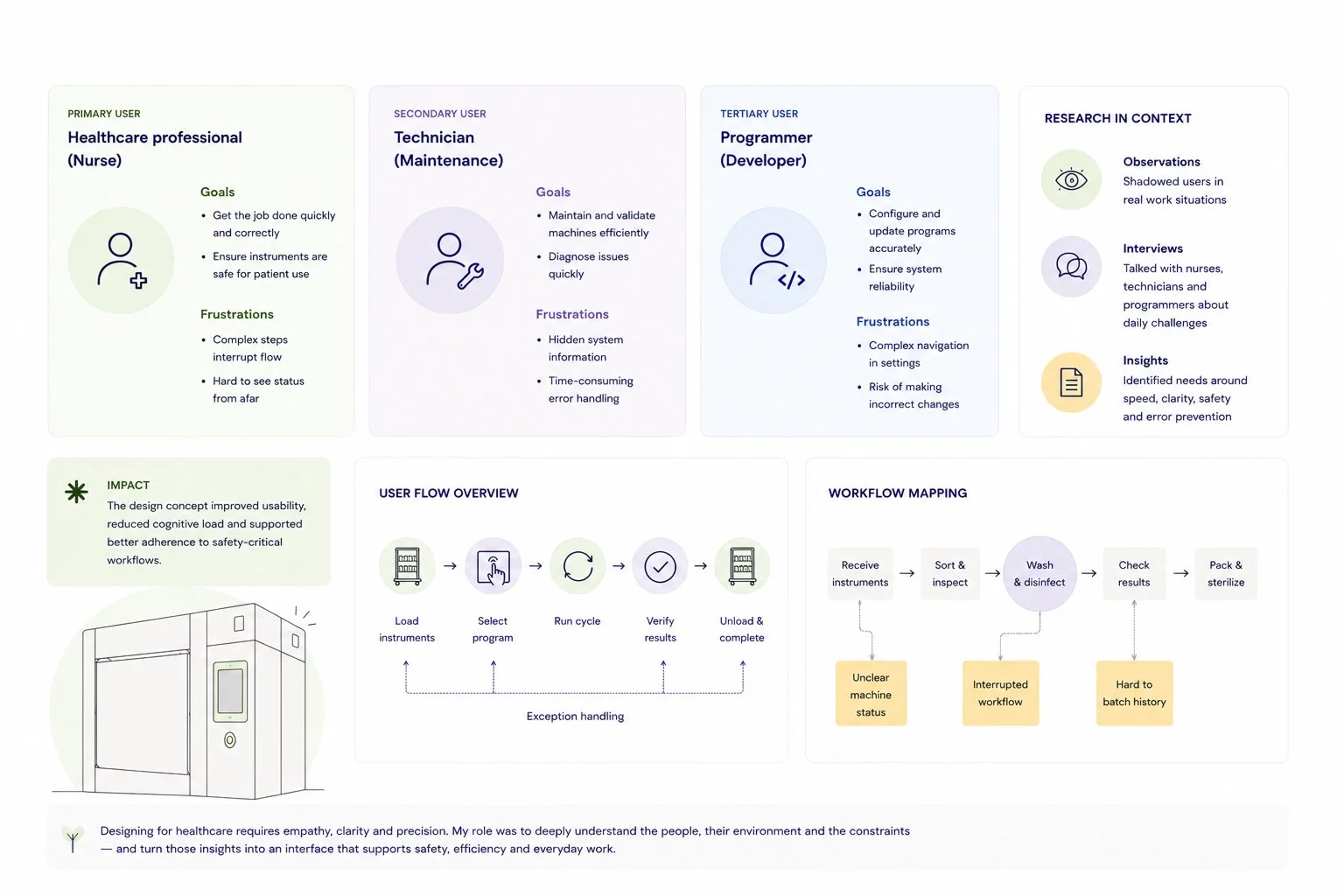
The existing interface served multiple user groups with different responsibilities, technical knowledge and daily workflows.
The challenge was not only to improve usability, but also to understand how the device fits into the wider hospital environment. Every interaction needed to be efficient, predictable and easy to understand, while supporting safety-critical work where unnecessary complexity could slow users down or increase the risk of errors. UI needed a visual updating.
The interface also needed to accommodate both routine daily use and more advanced maintenance tasks without compromising clarity.
UX Research
The project began with understanding the people behind the product.
I conducted contextual user research in a hospital environment through interviews and observations, allowing me to see how the device was used in real clinical workflows rather than relying on assumptions. During contextual observations, I noticed that operators had created handwritten reminder notes around the machine to compensate for missing guidance in the interface. This became an important insight, reinforcing the need to design an experience that better supports real clinical workflows.
The research also combined multiple methods to build an understanding of both everyday workflows and broader user needs. In addition to contextual interviews and observations in a hospital environment, I conducted an online survey with international partners and interviewed one remote stakeholder (international seller) via Microsoft Teams. This helped validate findings across different contexts and brought additional perspectives into the design process.
The research combined several qualitative methods to understand users, workflows and the wider context of use. It included:
Contextual interviews with healthcare professionals
Observation of real work practices in a hospital environment
Analysis of the existing interface
An online survey with international partners
A remote stakeholder interview conducted via Microsoft Teams
Defining user groups and their different needs
Mapping user journeys and usage scenarios
Identifying usability challenges and opportunities
These insights formed the foundation of the design process, helping prioritise improvements based on real user needs while balancing efficiency, safety and usability.
My Role
I was responsible for driving both the research and design activities throughout the project.
My work included:
Planning and conducting UX research
Synthesising research findings
Defining user groups and usage scenarios
Interaction design
Wireframing and UI design
Interactive prototyping
Usability testing and iterative improvements
Contributing to the alignment of industrial design and digital interaction
Key Takeaways
This project reinforced my belief that meaningful design starts with understanding people in their real environment.
Observing users in context revealed insights that would have been difficult to discover through assumptions alone. It also highlighted how closely digital interfaces and physical products influence one another, especially in healthcare environments where usability, safety and efficiency are inseparable.
The experience strengthened my interest in combining UX research, strategic thinking and product design to create solutions that support both people and the complex systems they work within.
Overview
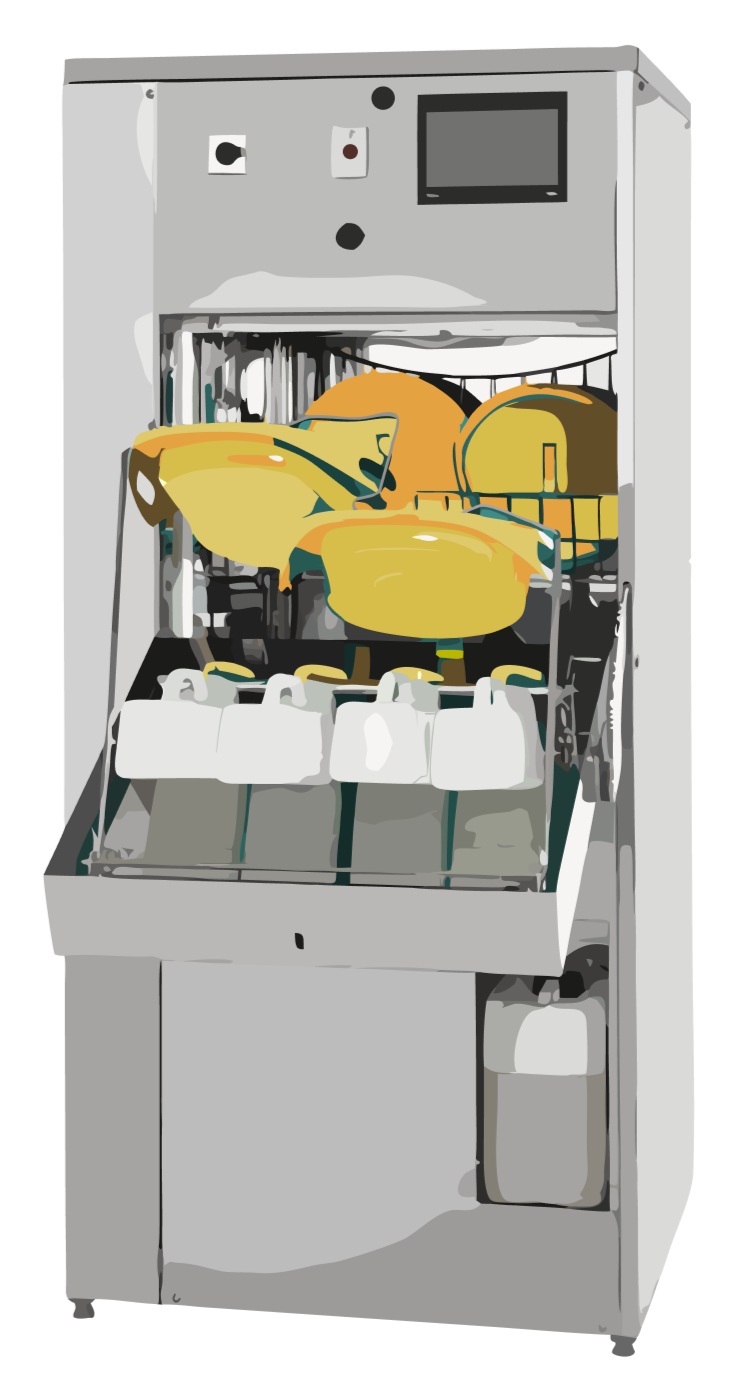
This project focused on redesigning the touchscreen interface of a hospital washer-disinfector used in sterile processing environments.
Unlike many digital products, this interface is part of a physical medical device used in fast-paced clinical workflows where efficiency, safety and reliability are critical. The goal was to create a more intuitive experience while supporting the different needs of healthcare professionals, maintenance personnel and technical specialists.
As the interface was integrated into a physical product, the project extended beyond screen design. Alongside the touchscreen UI, I also contributed to discussions around the industrial design of the product, ensuring that the physical form and digital interface supported each other as one coherent user experience.
Due to confidentiality, the final UI screens are blurred. Instead, this case focuses on the research, workflows and design thinking that informed the solution.